Inspection Schedule Calendar
Sync your assigned inspection schedules to Google Calendar, Outlook, or any calendar that supports calendar subscriptions.
Description
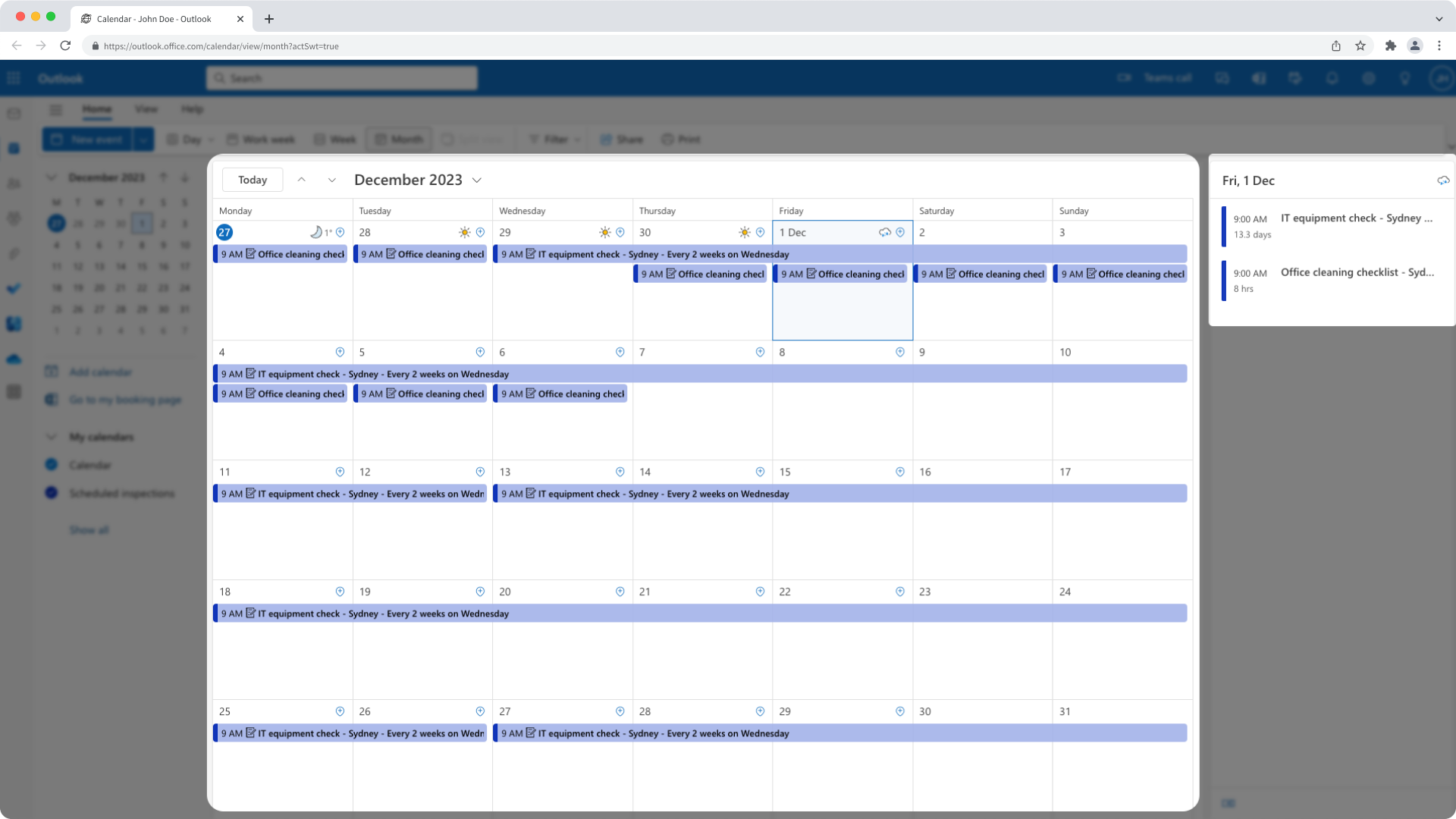
Add your upcoming inspection schedules to your calendar as events, so you can plan your day and start inspections directly from each event. This integration creates events for schedules assigned to you and keeps your calendar focused on upcoming work.
📘 This integration currently supports schedules from the legacy Schedules experience only. It does not display schedules from the new Schedules experience.
How it works
1. Install the integration in the SafetyCulture web app and generate your Calendar URL.2. Subscribe to the Calendar URL in your calendar app (Google Calendar, Outlook, or another calendar that supports calendar subscriptions).
3. Your assigned schedules appear as calendar events, including a link to start the inspection.
What gets added to your calendar
- Events for inspection schedules assigned to you, up to one month in advance.
- A start link in each event so you can start the inspection in the web app or mobile app.
- Past occurrences are hidden, so you only see upcoming work.
Calendar apps refresh subscriptions at different rates, so new or updated schedules may take some time to appear.
Requirements
✔️ SafetyCulture Premium Plan or Enterprise Plan✔️ Web app
✔️ Full seat
✔️ Supported calendar app
Media
FAQ
Updates apply to future occurrences. Your calendar reflects changes based on the refresh rate of your calendar app.
This integration only adds events for schedules assigned to you. Ask team members to share their Calendar URL so you can subscribe to their schedules.