Embed Microsoft Power BI
Display Power BI dashboards in SafetyCulture, allowing your team to view live insights without switching apps.
Description
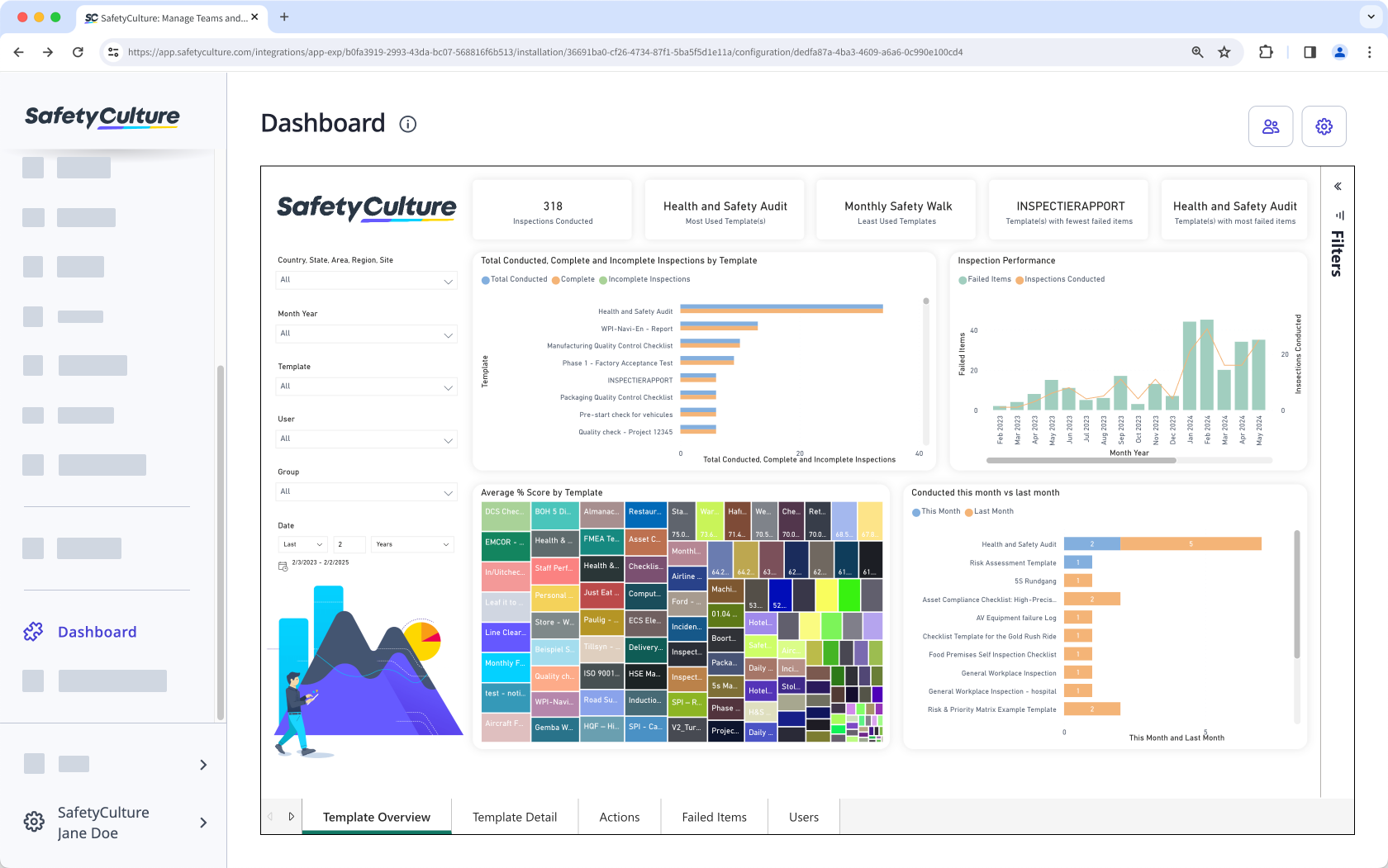
Embed Microsoft Power BI dashboards in the SafetyCulture web app so your team can access performance insights alongside day-to-day work. Public dashboards can be viewed without signing in to Power BI. Private dashboards require users to sign in to Power BI.
What you can do
- Add up to 10 dashboards to your organization.
- Choose a label for each dashboard, so it appears in the left-side menu.
- Restrict access to specific users and groups.
This integration is best for teams that want quick access to reporting in the same place they run work in SafetyCulture.
2. In SafetyCulture, install the integration and add a page with a label and the embed link URL.
3. Open the dashboard from the left-side menu in the SafetyCulture web app.
How it works
1. Get an embed link from Power BI (public or private).2. In SafetyCulture, install the integration and add a page with a label and the embed link URL.
3. Open the dashboard from the left-side menu in the SafetyCulture web app.
Requirements
✔️ SafetyCulture Premium Plan or Enterprise Plan
✔️ Web app
✔️ "Platform management: Organization" permission
✔️ Full seat
✔️ Embed link to a Microsoft Power BI dashboard
✔️ Web app
✔️ "Platform management: Organization" permission
✔️ Full seat
✔️ Embed link to a Microsoft Power BI dashboard
Media
FAQ
Yes. By default, embedded dashboards are available to everyone in your organization. You can restrict access to specific users and groups. Depending on the embedded link, users may still need to sign in to Power BI.
Embedding shows Power BI dashboards inside SafetyCulture. The Power BI Connector loads SafetyCulture data into Power BI for reporting.